

Limited-Time items
CLAIM THESE UNIQUE ITEMS FOR FREE
Start your time in Dying Light: The Beast on the right foot with this collection of goodies! It couldn’t be simpler: all you’ve got to do to get them is watch your favorite streamers play Dying Light: The Beast.
The Slicer
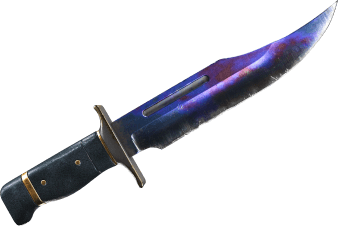
Watch 20 minutes
This blade is so fancy, everyone wants to get a look at it. If they get too close, greet them with a swift stab
Code Orange

Watch 60 minutes
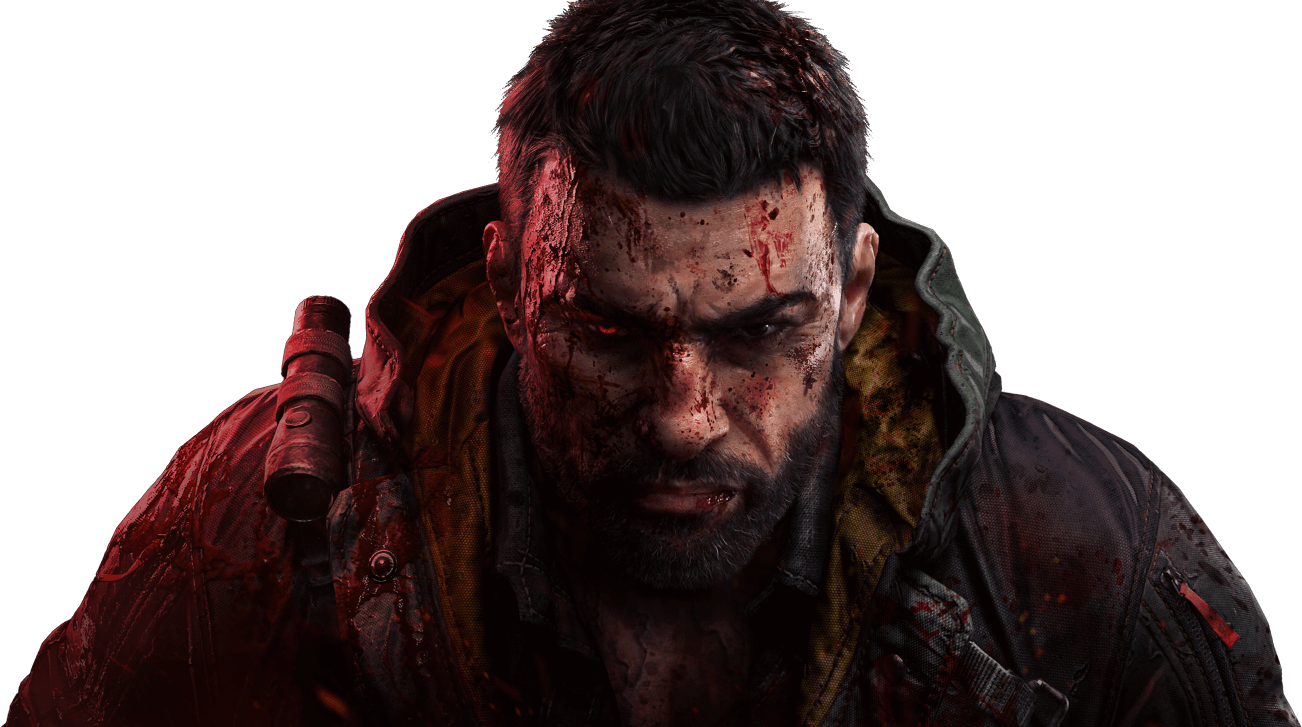
Put the fear of Crane into your enemies. They’ll see you coming - and that’s entirely the point!
Blue Heat
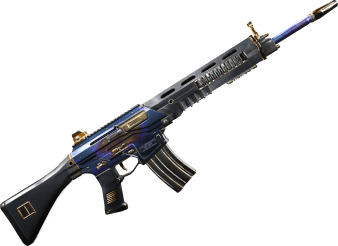
Watch 120 minutes
Grab this trusty rifle and take out your enemies quickly and from range. Plus, the paint job is pretty cool!
What are Twitch Drops and how to get them?
Twitch Drops are special in-game rewards you earn by watching Dying Light: The Beast streams on Twitch. Follow these four simple steps to get started:
-
Step1Sign in to your Twitch account and start watching participating streamers playing Dying Light: The Beast to earn drops! Just remember to claim them in your Twitch Inventory!
-
Step2Log in to your Dying Light Outpost account or sign up now. Then link your Twitch account to your dashboard.Link Account
-
Step3Connect the Dying Light account to the platform that you game on to play Dying Light: The Beast.
-
Step4Start playing the game! You’ll find your rewards waiting for you in the Dying Light: The Beast in-game stash. Finish the prologue to get access to them!
Frequently asked questions
Twitch Drops
- I watch the streams, but I don’t receive Twitch Drops. Why?
Check if you are logged in to your Twitch account and make sure it’s linked to your TechlandGG account (Step 3 and 4). Otherwise, you won’t be able to earn your Twitch Drops. To check your progress, go to your Twitch Inventory.
Also, please note that it might take up to 2 hours to get your rewards in the game once you claim it on Twitch, assuming you already have your Twitch and TechlandGG accounts linked.
- I don’t have the game yet. Will I still get my rewards?
Don’t worry, we have you covered! As long as you have a TechlandGG account, your rewards will be waiting for you. Just remember to claim them, and follow the rest of the steps.
- What should I do if I encounter issues?
If you encounter an issue connecting your TechlandGG and Twitch accounts, please check Twitch connections in your Twitch account settings. In the case of TechlandGG-related issues, please reach out to our support team at https://support.techland.pl/.
Please be aware that our support team can’t link accounts, change progression, or distribute the rewards manually.
- What will happen if I unlink accounts?
Claimed rewards on TechlandGG won’t disappear, but Twitch Drops progress will be lost.
- As a streamer, how do I get Drops on my channel?
All you need to do is to make sure your Twitch and TechlandGG accounts are linked, and that you’re opted into Drops (see Drops Streamer Home). To link your accounts, log in to your TechlandGG account and go to your Profile Summary or to Twitch Drops subpage to link your Twitch account.
